
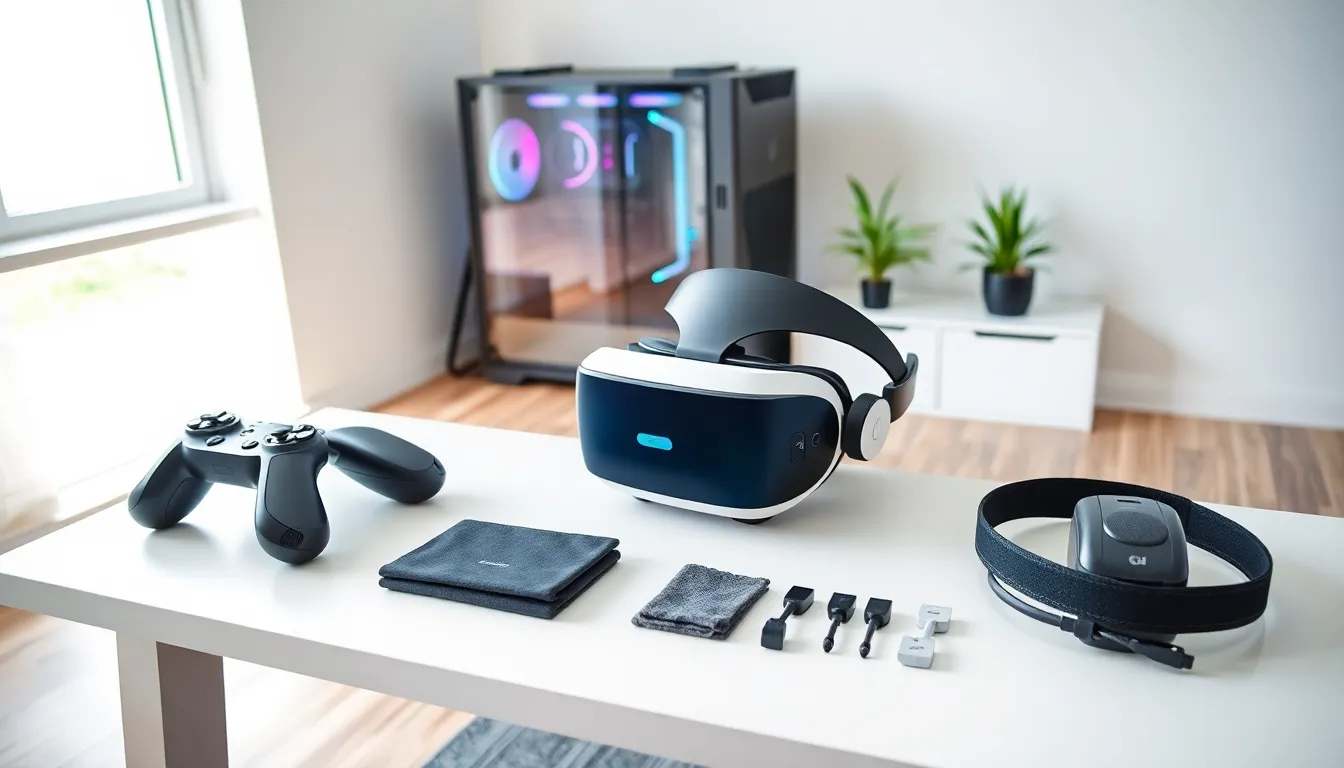
VR gaming tools have transformed how players experience virtual worlds. The right combination of hardware and software creates immersive gameplay that traditional gaming cannot match. Whether someone is building their first VR setup or upgrading an existing one, understanding which tools matter most saves time and money.
This guide breaks down the essential VR gaming tools every player needs. From headsets and controllers to software platforms and optimization tips, readers will learn exactly what makes a VR setup work well, and what separates a good experience from a great one.
Table of Contents
ToggleKey Takeaways
- VR gaming tools include both hardware (headsets, controllers, accessories) and software (platforms, optimization apps) that work together to create immersive experiences.
- Standalone headsets offer wireless freedom, while PC-tethered devices deliver higher visual fidelity and access to more demanding games.
- Accessories like upgraded head straps, prescription lens inserts, and haptic vests significantly improve comfort and immersion during long play sessions.
- SteamVR and Meta Quest Store are the primary platforms for accessing VR game libraries, with options like Virtual Desktop enabling wireless PC VR streaming.
- Optimize your VR setup by clearing play space, adjusting IPD settings, updating GPU drivers, and keeping lenses clean for the best performance.
- When choosing VR gaming tools, prioritize compatibility, comfort, game library alignment, and budget to make a smart long-term investment.
Must-Have VR Hardware for Gaming
VR gaming tools start with hardware. The physical components determine visual quality, tracking accuracy, and overall comfort during play sessions. Getting these choices right creates the foundation for everything else.
Headsets and Controllers
The VR headset serves as the primary tool for immersive gaming. Current options fall into two main categories: standalone headsets and PC-tethered devices.
Standalone headsets like the Meta Quest 3 run games directly on the device. They offer wireless freedom and quick setup. PC-tethered headsets like the Valve Index or HP Reverb G2 connect to a gaming computer. They deliver higher visual fidelity and access to more demanding titles.
Key specs to compare include:
- Resolution: Higher pixel counts reduce the “screen door” effect
- Refresh rate: 90Hz minimum: 120Hz feels smoother
- Field of view: Wider FOV creates more natural peripheral vision
- Tracking method: Inside-out tracking needs no external sensors: outside-in tracking uses base stations for precision
Controllers matter just as much as headsets. Most VR gaming tools come with motion controllers that track hand position and rotation. The Meta Touch controllers and Valve Index controllers lead the market. Index controllers add finger tracking, which opens up new interaction possibilities in supported games.
Accessories That Enhance Your Experience
Beyond the basics, several VR gaming tools improve comfort and immersion:
Upgraded head straps distribute weight better than stock options. The Elite Strap for Quest or third-party alternatives reduce fatigue during long sessions.
Prescription lens inserts let glasses-wearers play without their frames. Companies like VR Optician and Reloptix create custom lenses that snap into headsets.
Haptic vests and gloves add physical feedback. The bHaptics TactSuit delivers vibrations that correspond to in-game events. Players feel impacts, environmental effects, and directional cues.
Cable management systems keep tethered setups from becoming tangled messes. Ceiling-mounted pulleys give players freedom to turn without wrapping cords around themselves.
Dedicated VR mats provide tactile boundaries. Players feel the edge with their feet, so they stay centered in their play space without removing the headset.
Essential Software and Platforms
Hardware means nothing without software to run on it. The right platforms and applications unlock the full potential of VR gaming tools.
SteamVR remains the largest library for PC-based VR gaming. It supports most major headsets and hosts thousands of titles. Half-Life: Alyx, Boneworks, and Beat Saber all live here.
Meta Quest Store powers the standalone ecosystem. Games purchased here run directly on Quest devices without a PC. The library grows constantly, with both exclusive and cross-platform titles.
Sidequest offers an alternative source for Quest games and apps. Developers release experimental projects and early access builds here. It requires enabling developer mode but opens access to content outside official channels.
Virtual Desktop and ALVR stream PC VR games wirelessly to standalone headsets. Players get the best of both worlds: the freedom of wireless play and access to the full PC VR library.
VR Chat and Rec Room function as social platforms where players meet, create, and play together. They’re free and serve as entry points for many new VR users.
Optimization software also plays a role. fpsVR displays real-time performance metrics inside the headset. OVR Toolkit adds desktop windows to the VR environment. These VR gaming tools help players monitor and adjust their experience without removing the headset.
Tips for Optimizing Your VR Gaming Setup
Even the best VR gaming tools underperform without proper setup. A few adjustments make a significant difference.
Clear the play space. VR requires room to move. Remove furniture, cables, and anything breakable from the area. Most games need a minimum of 2m x 2m, but more space means more freedom.
Adjust the IPD setting. Interpupillary distance varies between people. Setting the correct IPD on the headset sharpens the image and reduces eye strain. Most headsets include physical or software adjustments.
Update GPU drivers regularly. VR pushes graphics cards hard. New driver releases often include VR-specific optimizations. NVIDIA and AMD both publish updates that improve performance in popular titles.
Use wired connections when possible. Wireless streaming works well, but a direct USB or DisplayPort connection delivers the most stable experience. Link cables provide high bandwidth without latency spikes.
Lower supersampling if frame rates drop. Supersampling renders games at higher internal resolutions, then scales down. It looks great but demands GPU power. Reducing this setting often restores smooth performance.
Keep lenses clean. Smudges and dust degrade image quality quickly. Use microfiber cloths designed for optics. Avoid household cleaners that can damage lens coatings.
What to Look for When Choosing VR Gaming Tools
Shopping for VR gaming tools can feel overwhelming. Focus on these factors to make smart decisions.
Compatibility comes first. Check whether hardware works with existing systems. PC VR requires specific GPU and USB capabilities. Standalone devices need compatible accessories.
Comfort matters for long sessions. Weight distribution, facial interface materials, and strap design all affect how a headset feels after an hour of play. Reading user reviews reveals comfort issues that spec sheets hide.
Game library alignment should guide platform choices. Someone who wants to play Beat Saber casually has different needs than someone chasing competitive Pavlov matches. Research which VR gaming tools support the desired titles.
Budget determines options. Entry-level setups start around $300 with a Quest 3S. High-end PC VR systems with Index hardware can exceed $2,000 once the gaming PC is included. Set realistic expectations.
Upgrade paths deserve consideration. Some ecosystems lock users in. Others allow mixing and matching components. Choosing VR gaming tools with flexibility protects the investment as technology advances.
Warranty and support provide peace of mind. VR hardware takes physical stress. Controllers get thrown accidentally. Straps break. Companies with responsive support and reasonable warranty terms save headaches later.