
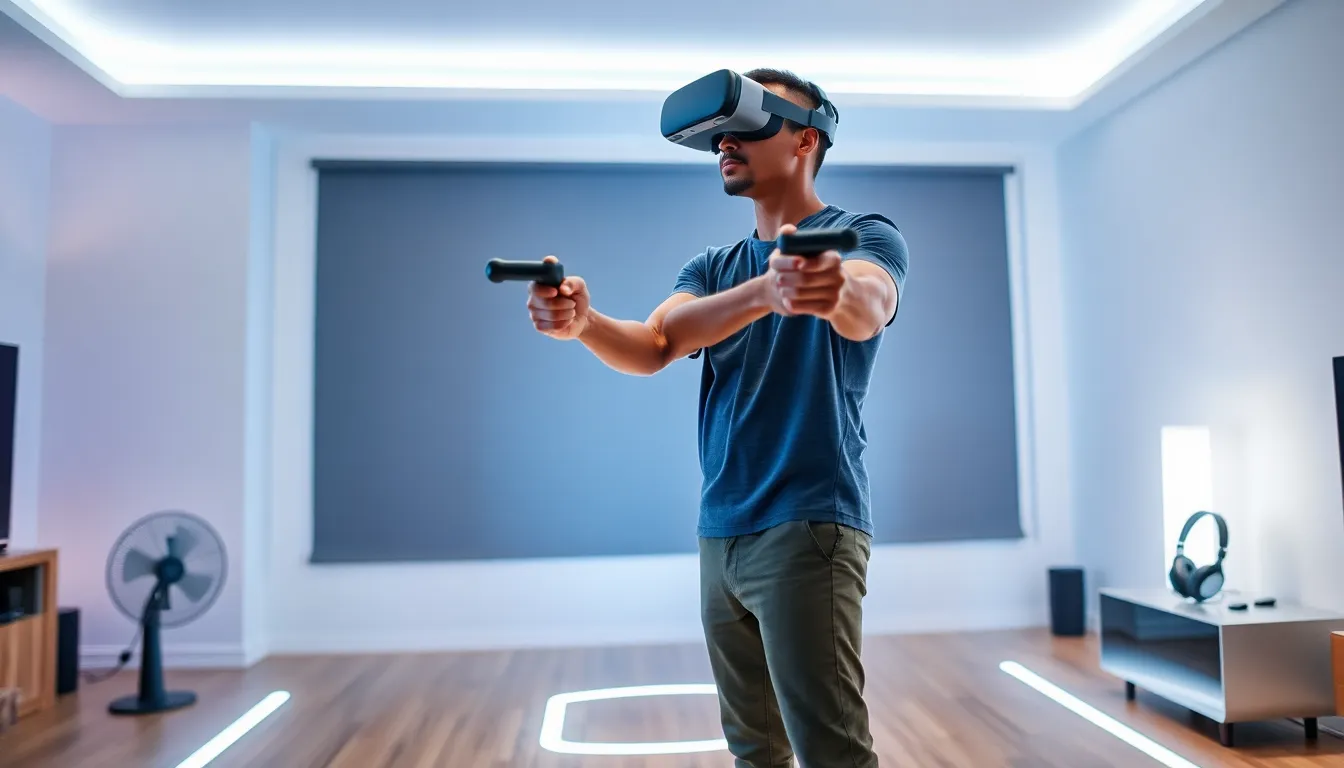
VR gaming techniques separate casual players from those who truly dominate virtual worlds. As headsets become more advanced and games grow more demanding, the right skills make all the difference. Players who master movement, controller precision, and spatial awareness gain a serious edge.
This guide covers the essential VR gaming techniques every player needs. From smooth locomotion to reducing motion sickness, these skills help gamers stay competitive and comfortable. Whether someone is new to virtual reality or looking to sharpen existing abilities, these fundamentals apply across platforms and genres.
Table of Contents
ToggleKey Takeaways
- Mastering VR gaming techniques like smooth locomotion and teleportation gives players a competitive edge and improves comfort during gameplay.
- A relaxed controller grip and proper two-handed stance significantly boost aiming accuracy and reduce fatigue in VR shooters.
- Spatial awareness skills—including regular repositioning to the center of your play space and using physical ducking—separate good VR players from great ones.
- Build VR tolerance gradually with 15-20 minute sessions and stop at the first sign of discomfort to avoid worsening motion sickness.
- Use comfort settings like vignetting and snap turning when starting out, then gradually disable them as your tolerance improves.
- Proper headset fit and correct IPD calibration are essential VR gaming techniques that prevent eye strain and reduce nausea.
Mastering Movement and Locomotion
Movement in VR gaming requires different techniques than traditional gaming. Players don’t simply push a joystick and watch a character run. They must coordinate physical motion with in-game locomotion systems.
Most VR games offer multiple movement options. Smooth locomotion uses the thumbstick to glide through environments continuously. Teleportation lets players point and jump to new locations instantly. Some games combine both methods.
Smooth Locomotion Tips
Smooth locomotion feels natural once players adapt. The key is keeping the head stable while the thumbstick controls forward motion. Looking in the direction of travel helps the brain process movement more easily.
Players should start with slower movement speeds. Many games allow speed adjustments in settings. Beginning at 50-70% speed gives the vestibular system time to adapt. After several sessions, players can gradually increase speed.
Teleportation Strategies
Teleportation works well for players sensitive to motion or those preferring quick repositioning. The technique involves pointing the controller, selecting a destination, and releasing the trigger.
Experienced players chain teleports rapidly during combat. This creates unpredictable movement patterns that opponents struggle to track. Practice aiming teleport arcs without looking down, muscle memory develops with repetition.
VR gaming techniques for movement also include arm-swinging locomotion. Some titles require players to swing their arms naturally as if walking. This method burns calories and feels intuitive but requires physical stamina.
Controller Handling and Input Precision
Controller handling directly impacts performance in VR gaming. Unlike traditional gamepads, VR controllers track position, rotation, and grip in three-dimensional space. Proper technique maximizes accuracy.
Grip Fundamentals
Holding controllers too tightly causes fatigue and reduces precision. A relaxed grip allows for natural wrist movement. Think of holding a TV remote rather than gripping a hammer.
The index finger should rest naturally on the trigger. Middle fingers control side buttons or grip sensors. Thumb position varies by controller model, but keeping it centered on the thumbstick or touchpad provides fastest access to all inputs.
Aiming and Tracking
VR gaming techniques for shooting games differ significantly from flatscreen FPS games. Players must physically aim down sights, lead moving targets, and account for actual hand stability.
Two-handed weapons benefit from proper stance. Dominant hand grips the trigger area while the support hand stabilizes the front. Elbows should stay slightly bent, locking joints creates shaky aim.
For melee combat, follow-through matters. Swinging wildly wastes energy and triggers defensive animations in many games. Controlled strikes with proper arc and timing deal more damage.
Button Mapping and Muscle Memory
Learning button layouts takes time in VR because players can’t see their hands. Spend five minutes before each session practicing reloads, weapon switches, and item selection without looking.
Some VR gaming techniques involve remapping controls. Most platforms allow customization. Moving frequently-used actions to comfortable buttons reduces fumbling during intense moments.
Spatial Awareness and Room-Scale Navigation
Spatial awareness separates good VR players from great ones. Understanding physical boundaries while staying immersed requires practice and deliberate technique.
Setting Up Play Space
Before developing VR gaming techniques for spatial play, proper setup matters. Clear the play area of furniture, pets, and tripping hazards. Most headsets display guardian boundaries when players approach edges.
Orienting the play space thoughtfully helps. Position the primary facing direction toward the center of available room. This maximizes freedom of movement in the most common direction of action.
Physical Positioning Strategy
Experienced players reset to center position regularly. After moving during gameplay, they return to the middle of their space during calm moments. This prevents getting trapped in corners during sudden action.
Ducking and crouching add defensive options in many games. Players who use physical height changes gain advantages over those who only move horizontally. Practicing quick drops and returns builds leg strength.
Environmental Awareness
VR gaming techniques include reading virtual environments efficiently. Scan rooms quickly upon entering. Note cover positions, exits, and enemy spawn points.
Peripheral vision works differently in VR. The field of view varies by headset, typically ranging from 90 to 120 degrees. Players learn to compensate through more frequent head turns.
Sound provides crucial spatial information. Quality headphones help players locate threats by audio alone. Footsteps, reloads, and environmental sounds telegraph enemy positions.
Reducing Motion Sickness and Improving Comfort
Motion sickness stops many players from enjoying VR gaming fully. The disconnect between visual motion and physical stillness causes symptoms. Fortunately, VR gaming techniques exist to minimize discomfort.
Building VR Tolerance
New players should limit initial sessions to 15-20 minutes. Pushing through nausea makes symptoms worse and creates negative associations. Short, positive experiences build tolerance faster than marathon sessions ending in sickness.
Stopping at the first sign of discomfort prevents escalation. Early warning signs include yawning, mild sweating, and subtle stomach unease. Taking a break at this stage allows quick recovery.
Comfort Settings
Most VR games include comfort options. Vignetting darkens peripheral vision during movement, reducing motion cues. Snap turning rotates the view in fixed increments rather than smooth rotation.
These settings help new players enjoy games immediately. As tolerance builds, players can gradually reduce comfort assists. Many experienced players eventually disable all comfort features.
Physical Factors
Certain physical factors influence motion sickness susceptibility. Fatigue, hunger, and dehydration increase sensitivity. Playing while well-rested and hydrated improves comfort.
A fan blowing cool air provides real-world reference points. The physical sensation of airflow helps the brain reconcile conflicting sensory information. Many VR enthusiasts consider a desk fan essential equipment.
Hardware Adjustments
Proper headset fit affects both comfort and sickness. Loose headsets shift during movement, causing visual wobble that triggers nausea. Tight straps cause headaches. Finding the right balance takes experimentation.
IPD (interpupillary distance) settings matter significantly. Incorrect IPD causes eye strain and can worsen motion sickness. Most headsets offer manual or automatic IPD adjustment, taking time to calibrate properly pays dividends.