
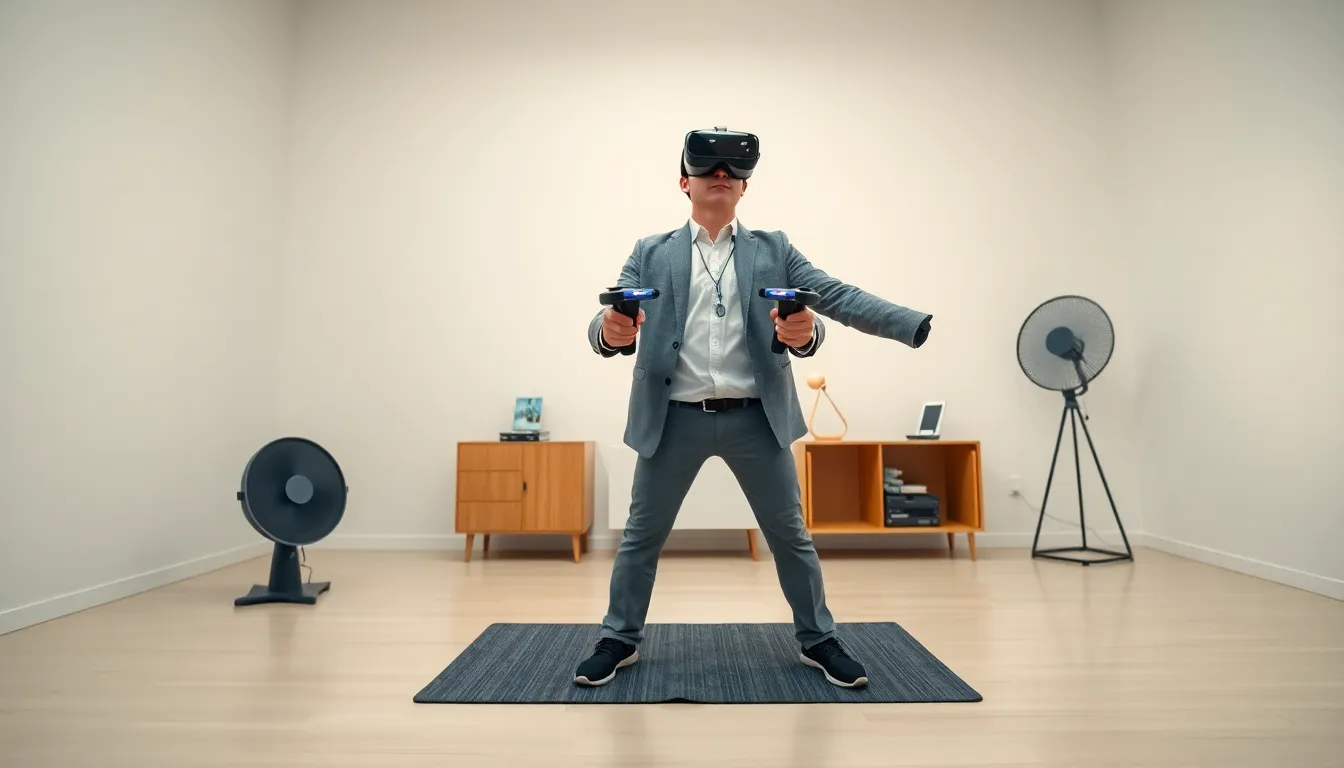
VR gaming strategies separate casual players from those who truly dominate virtual worlds. The immersive nature of virtual reality demands a different skill set than traditional gaming. Players must coordinate their entire bodies, manage physical space, and adapt to 360-degree environments. Whether someone is battling zombies in a horror shooter or solving puzzles in an escape room, the right approach makes all the difference.
This guide breaks down proven VR gaming strategies that work across platforms and genres. From setting up the perfect play space to mastering motion controls, these tips help players level up their virtual reality experience. The techniques covered here apply to Meta Quest, PlayStation VR, and PC-based headsets alike.
Table of Contents
ToggleKey Takeaways
- Effective VR gaming strategies start with a properly set up play space—aim for at least 6.5 by 6.5 feet of clear floor space with good lighting.
- Master different movement options (teleportation, smooth locomotion, room-scale walking) to find what works best for each game and your comfort level.
- Combat in VR rewards physical engagement—use proper stance, real aiming techniques, and environmental cover to outperform opponents.
- Adapt your VR gaming strategies to each genre: patience for puzzles, muscle memory for rhythm games, and precision setups for simulations.
- Prevent motion sickness by starting with short sessions, using comfort settings like vignetting, and prioritizing stable frame rates over visual quality.
- Build VR tolerance gradually—respect your limits and stop immediately when discomfort begins rather than pushing through.
Setting Up Your VR Space for Success
A proper play area forms the foundation of effective VR gaming strategies. Players need enough room to move freely without hitting walls, furniture, or family members. Most VR systems recommend a minimum of 6.5 feet by 6.5 feet of clear floor space. More room means better gameplay.
Lighting matters too. Tracking systems work best in well-lit rooms, but players should avoid direct sunlight hitting their headset sensors. A consistent, diffused light source prevents tracking errors during intense gaming sessions.
Here are essential setup tips:
- Remove loose rugs and cables from the play area
- Use a small floor mat as a tactile center point
- Position the guardian boundary at least one foot from walls
- Keep a fan nearby for ventilation and spatial orientation
The fan trick serves double duty. It keeps players cool during active games and provides a constant reference point for real-world direction. Many experienced VR gamers swear by this simple addition to their setup.
Controller charging habits also affect performance. Dead batteries mid-boss-fight ruin sessions. Smart players charge controllers after every use and keep backup batteries within reach.
Mastering Movement and Motion Controls
Movement separates beginners from skilled VR players. Most games offer multiple locomotion options: teleportation, smooth locomotion, and room-scale walking. Each VR gaming strategy requires different skills.
Teleportation suits newcomers. Point, click, and instantly appear at a new location. This method prevents motion sickness but limits tactical options in fast-paced games.
Smooth locomotion uses thumbstick movement like traditional games. It feels natural after adjustment but can cause disorientation initially. Players should start with slow movement speeds and increase gradually as their VR legs develop.
Room-scale walking delivers the most immersive experience. Physical movement translates directly into the game world. This approach works brilliantly for games designed around it, though space limitations restrict its use.
Motion control precision improves with practice. Players should:
- Keep controllers within the headset’s tracking range
- Use deliberate, smooth motions rather than jerky movements
- Practice aiming and grabbing objects in tutorial modes
- Adjust controller sensitivity settings for personal preference
Two-handed weapon handling requires coordination. Players must learn to stabilize virtual rifles by gripping with both controllers while tracking targets. This skill transfers across multiple VR shooters and action games.
Combat and Action Game Strategies
Combat in VR demands physical engagement. Players can’t rely solely on button timing, they must actually swing, duck, and aim. These VR gaming strategies apply to shooters, melee games, and hybrid action titles.
In shooting games, stance matters. Players should stand with feet shoulder-width apart, knees slightly bent. This athletic position allows quick turning and improves stability during firefights. Real-world shooting techniques translate surprisingly well to virtual environments.
Aiming requires different skills than flatscreen games. Players must:
- Use both eyes and actual sight alignment
- Lead moving targets based on projectile travel time
- Account for weapon sway and recoil mechanics
- Practice hip-fire for close encounters
Melee combat rewards real physical effort. Harder swings often deal more damage in physics-based games. But, players should avoid overexertion. Controlled, accurate strikes beat wild flailing every time.
Cover usage transforms in VR. Players physically crouch behind objects, lean around corners, and peek over barriers. This tactical freedom rewards creative positioning. A player who uses their environment effectively will outlast opponents who stand in the open.
Spatial awareness wins fights. Players must track threats in all directions, not just forward. Regular 360-degree checks prevent ambushes and reveal flanking enemies.
Adapting to Different VR Game Genres
Different genres demand different VR gaming strategies. A puzzle game approach won’t work in a rhythm game, and racing game skills don’t apply to survival horror.
Puzzle and escape room games reward patience and observation. Players should examine objects from multiple angles, look behind and underneath items, and pay attention to environmental clues. Many puzzles use spatial reasoning that only works in VR, rotating 3D objects or viewing things from impossible angles.
Rhythm games like Beat Saber require muscle memory and flow state. Players should:
- Start on lower difficulties to learn patterns
- Focus on accuracy before speed
- Use full arm movements for better scores
- Practice specific songs rather than random playlists
Horror games exploit VR’s immersion ruthlessly. Players who struggle with scares can reduce immersion slightly by dimming brightness or playing shorter sessions. But, leaning into the experience often delivers the intended payoff.
Social VR games require communication skills and etiquette. Voice chat clarity matters. Players should speak clearly, respect personal space bubbles, and learn platform-specific social norms.
Simulation games demand precision. Flight simulators, for example, benefit from seated play with physical HOTAS controllers. Racing games improve with steering wheel peripherals. Matching input methods to game requirements sharpens the experience.
Avoiding Motion Sickness While Playing
Motion sickness affects many VR players, especially newcomers. Smart VR gaming strategies minimize discomfort while building tolerance over time.
The disconnect between visual motion and physical stillness causes most VR sickness. The brain receives conflicting signals and responds with nausea. This reaction fades for most players as they adapt.
Effective prevention strategies include:
- Starting with stationary or teleportation-based games
- Limiting initial sessions to 15-20 minutes
- Stopping immediately when discomfort begins
- Using a desk fan pointed at the face during play
- Chewing ginger candy before and during sessions
Game settings help significantly. Many titles offer comfort options like vignetting (tunnel vision during movement) and snap turning. These features reduce motion sickness triggers without ruining gameplay.
Physical factors matter too. Playing while tired, hungry, or dehydrated increases sickness risk. Players should eat lightly before sessions, stay hydrated, and avoid VR when exhausted.
Gradual exposure builds VR tolerance. Players who push through sickness often make it worse. Those who respect their limits and build up slowly usually adapt within a few weeks of regular play.
Frame rate drops trigger sickness more than any other factor. Players using PC VR should prioritize smooth performance over visual quality. A stable 90 FPS beats a choppy 120 FPS every time.